
How to estimate LLM API costs before you build
A five-step method to turn a feature idea into a monthly token budget, with a worked example, a short Python helper and the costs teams usually forget.
Most surprise AI bills come from one wrong assumption: that the user’s message is the whole prompt. In a real application, instructions, history and retrieved context usually dominate. This method gets you to a defensible monthly figure before launch. The worked example is hypothetical and uses list prices checked on November 12, 2026.
Step 1: measure one realistic request
Build the request exactly as production will: system prompt, any conversation history you keep, retrieved passages, tool definitions and a typical user message. Count it with the provider’s token-counting tool, or send it in a test environment and read the usage figures in the response.
Anthropic’s token-counting endpoint is free to use and returns the input token total for a message. It describes the count as an estimate that may differ slightly from the final request.
Estimate tokens for your text →
Reference: Anthropic — token counting
Step 2: estimate output length honestly
Look at the answers you actually want. A one-paragraph support reply might be 200–400 tokens; a structured report could be several thousand. If the model reasons before answering, those tokens are billed as output as well, so measure a few real responses rather than counting only the visible text.
Set a maximum output length in the request. It limits worst-case cost and keeps answers focused.
Step 3: multiply by traffic
Estimate requests per day from expected users and how often each one triggers the feature. Multiply per-request cost by daily requests and active days. Then model a busy month as well as a normal one.
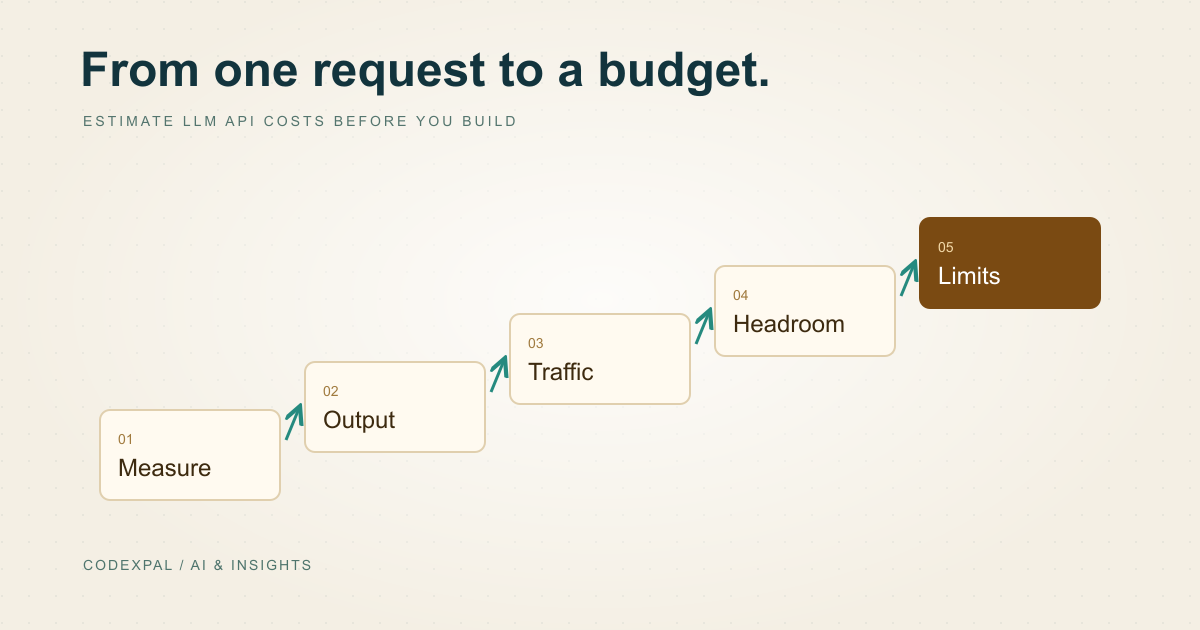
From one request to a monthly budget
- 01Per request(input × input rate + output × output rate) ÷ 1,000,000
- 02Per dayper request × requests per day
- 03Per monthper day × active days
- 04Budgetper month + headroom for retries and growth
A worked example
Hypothetical support assistant: 2,000 input tokens and 500 output tokens per request, 1,000 requests a day, 30 days a month, on Claude Sonnet 5.5 at $2 input and $10 output per million tokens. Input costs $0.004 and output $0.005, so each request costs $0.009. That is $9 a day and $270 a month.
Now cache the 1,000-token system prompt, so half of each prompt is read from cache at $0.10 per million. Fresh input drops to $0.002 and cached input costs $0.0001. Each request falls to $0.0071, or about $213 a month before cache-write charges. Output is now the largest share, so limiting answer length matters more than trimming the prompt.
def monthly_cost(input_tokens, output_tokens, requests_per_day,
                 input_rate, output_rate, cached_share=0.0, cached_rate=None,
                 days=30):
    """Rates are USD per 1M tokens. cached_share is 0.0-1.0 of input."""
    cached_rate = input_rate if cached_rate is None else cached_rate
    cached = input_tokens * cached_share
    fresh = input_tokens - cached
    per_request = (fresh * input_rate + cached * cached_rate
                   + output_tokens * output_rate) / 1_000_000
    return per_request * requests_per_day * days

print(round(monthly_cost(2000, 500, 1000, 2, 10), 2))            # 270.0
print(round(monthly_cost(2000, 500, 1000, 2, 10, 0.5, 0.10), 2))  # 213.0
Open the AI API cost calculator →
Reference: Anthropic — Claude API pricing
Step 4: add what the formula leaves out
Retries after errors or failed validation, evaluation runs, development and staging traffic, embedding calls for retrieval, tool and search charges, images or audio, and regional processing uplifts all add to the bill. A margin of 20–50% over the base estimate is a reasonable starting assumption until you have real usage data.
Remember the non-token costs too: engineering time, monitoring, human review of sensitive outputs and support.
Step 5: put limits in place before launch
Set a monthly spending limit and usage alerts in the provider console. Add per-user and per-feature rate limits in your application. Log tokens used per request so you can see which feature or customer drives cost.
Compare your estimate with the first week of real usage and update it. The goal of an estimate is a sound decision, not a perfect prediction.
The takeaway
Measure one real request, be honest about output length, multiply by traffic, add headroom and enforce limits. Use the calculator to repeat the exercise across models in seconds.
Sources & further reading
Primary references checked on November 12, 2026. Examples and diagrams are illustrative unless stated otherwise.
More to think about.
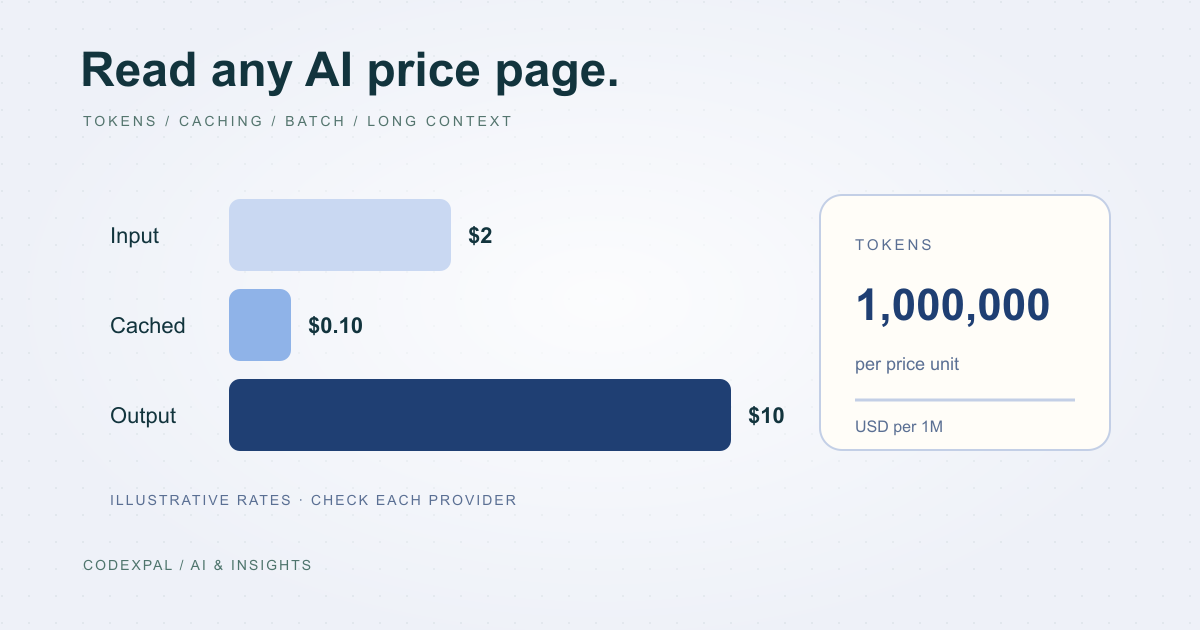
AI API pricing explained: tokens, caching, batch and long context
How OpenAI, Claude, Gemini, DeepSeek and Mistral charge for API use, why output costs more than input, and the four modifiers that change your real rate.
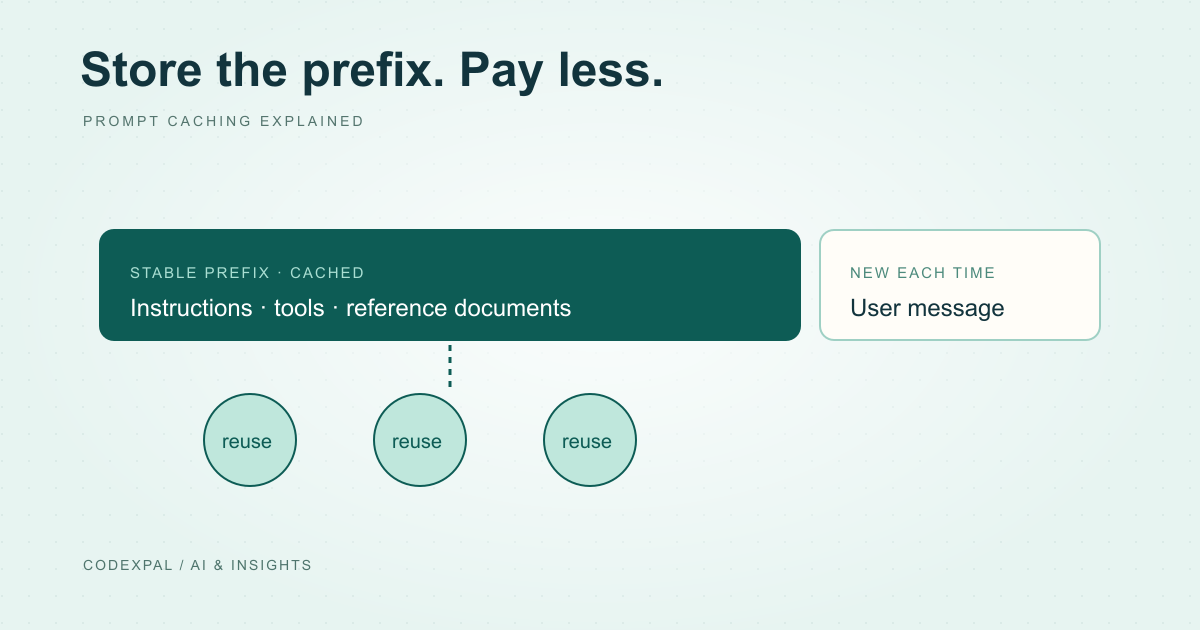
Prompt caching explained: when it cuts your AI bill and when it doesn’t
Cached input can cost a small fraction of normal input. Here is how OpenAI, Claude, Gemini and DeepSeek price caching, the break-even logic and how to structure prompts for it.